

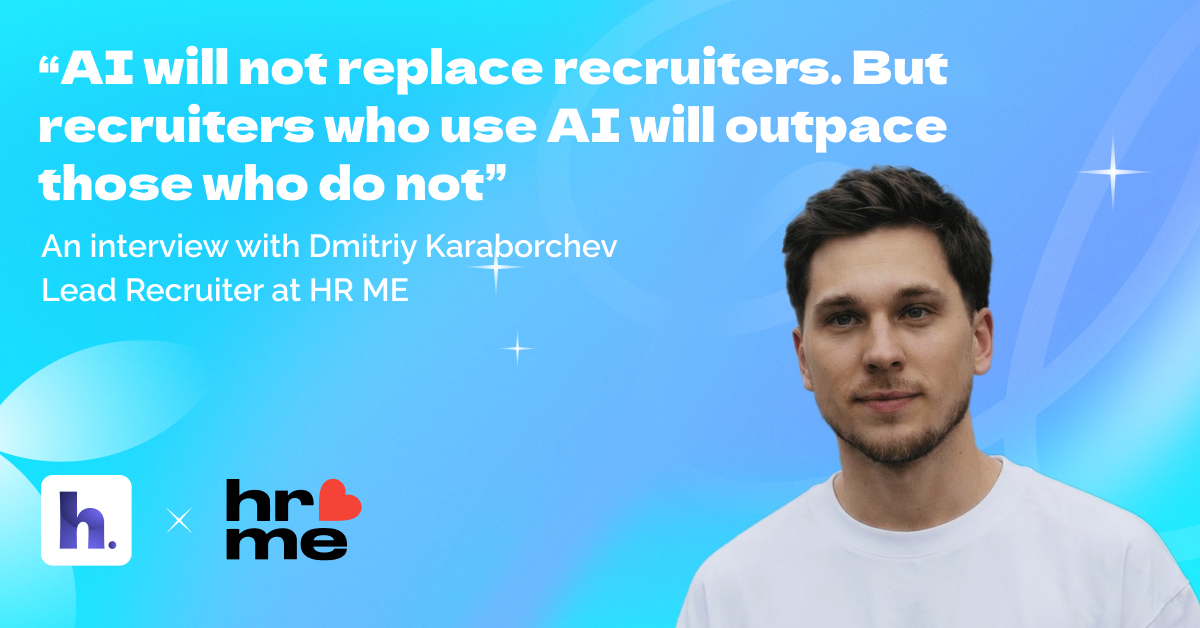
AI will not replace recruiters. But recruiters who use AI will outpace those who do not.
Recruiters are surrounded by AI hype. The real question is simpler: what actually helps you close roles faster without lowering the bar?
We spoke with Dmitriy Karaborchev, Lead Recruiter at HR ME — an international agency hiring for iGaming, FinTech, Crypto and IT. Alongside full-cycle recruitment, Dmitriy also leads the internal AI track.
Key takeaways
- Start with one painful, repetitive task and automate it end-to-end.
- AI is strongest in structured work: summarizing, parsing, drafting, comparing and scheduling.
- Use AI as an assistant - keep final screening and skill decisions with humans.
- Your ATS remains the system of record; the best AI features should eventually live inside it.
About Dmitriy and why AI became a daily recruiting habit
Dmitriy, tell us about your role at HR ME and what you focus on.
I have been with HR ME for about a year and a half. I work as a full-cycle recruiter and I also lead our internal AI track: I explore and test new solutions, implement the ones that truly improve our process and share best practices with the team.
Where did your interest in using AI in recruitment come from?
Curiosity and frustration of repetitive tasks that eat up time. At some point I asked myself: why do this manually? I started testing AI solutions and quickly saw results. Even simple setups can save hours, and once you see real value you want to go deeper.
The recruiting tasks where AI gives the biggest speed-up
What parts of the recruiting funnel benefit most from AI today?
Anything routine and structured. For example: turning a job description into a checklist, comparing multiple resumes consistently, drafting outreach messages, summarizing interviews, filling in scorecards and preparing structured updates for hiring managers. I treat AI as an assistant that handles the boring work so I can focus on judgment and relationship building.
Which tasks should not be fully delegated to AI yet?
Resume screening is still risky to hand over completely and skills assessment should remain a human responsibility. AI can miss context, get stuck on specific wording, or make confident-sounding mistakes. My rule is: AI accelerates, humans decide.
What AI tools actually mean without the hype
If we remove brand names, what are the 3 types of AI solutions you use most often?
First: a language-model assistant for structured resume review and comparisons. Second: an interview assistant that captures key moments and helps you complete scorecards faster. Third: an AI-powered sourcing solution that helps you find non-obvious candidates using flexible filters and search logic.
What changed after adopting these solutions?
Screening became faster and more systematic, interviews became easier to process and sourcing became less of a manual grind. The biggest change is mental energy: you finish the week less exhausted from operational work and with more meaningful progress.
Implementation playbook: how Dmitriy rolled out AI at HR ME
Below is a practical rollout approach based on Dmitriy’s experience leading HR ME’s AI track.
Step 1 — Pick one painful process
Choose a repetitive task that frustrates the team (for example: screening summaries, interview notes, or scheduling). Define what good output looks like before adding any tool.
Step 2 — Test small, then standardize
The hardest part is not adoption - it is testing. Many solutions look impressive but do not help in real cases. Run pilots on real vacancies, compare outputs and keep only what improves speed and quality.
Step 3 — Build a prompt library and templates
To get consistent results, invest time in prompt wording and structure. Save the best prompts, examples and scoring templates so the whole team can reuse them with the same quality.
Step 4 — Teach with real use cases
Run a short enablement session: show the workflow end-to-end, walk through a real vacancy and share templates. In Dmitriy’s experience, that is often enough for the team to start using the workflow immediately.
Common challenges and how to overcome them
- Too many tools, not enough value. Use a simple evaluation checklist: time saved, output consistency, adoption friction and impact on hiring manager decisions.
- Inconsistent AI outputs. Create structured prompts and require evidence-based outputs.
- AI gets stuck on wording in screening. Use synonyms and explain your reasoning prompts; keep a human review step for borderline candidates.
- Workflow fragmentation across tabs. Treat the ATS as the single source of truth. Store outputs inside the ATS so the team does not lose context.
AI in ATS: what changes when AI is built into your applicant tracking system
Dmitriy emphasizes that standalone AI helpers are useful, but an ATS remains the backbone: the system of record where candidate data, pipeline stages, collaboration and reporting live. The goal is to have AI features inside the ATS so speed does not come at the cost of chaos.
How does an AI resume parser help recruiters in an ATS using the example of HarmonyATS?
A strong parser automatically turns a resume into a structured candidate profile: roles, dates, skills, locations and contacts. In HR ME’s experience using HarmonyATS, resume parsing handled different formats and even non-standard resume structures better than their previous ATS. This reduces manual data entry, improves searchability and keeps the database clean for future roles.
What is AI Resume-to-Vacancy match and how does it speed up screening?
Resume-to-Vacancy match compares a resume to a vacancy’s requirements and highlights fit signals, gaps and follow-up questions. The value is not auto-rejecting people - it is prioritization: recruiters can review top matches first and keep decision quality high. Dmitriy notes that AI-assisted scoring is especially helpful when it lives inside the ATS alongside the pipeline, scorecards and reporting, so teams can move faster without losing context.
Measuring impact: from less exhausted to dashboards
How do you measure whether AI is actually helping?
At the beginning it is often qualitative: you realize you are less exhausted from routine work and you get more done in the same week. But the next step is structured measurement: before/after comparisons on screening speed, time-to-hire, recruiter workload, and conversion rate. Start simple, then build dashboards once the workflow is stable.
What advice would you give to recruiters who want to start using AI today?
Start with one pain point. Pick a task that wastes time and brings little satisfaction. Improve it with AI and document the workflow. The most useful skill you can develop is prompt writing. It will take time and you will need to rewrite and refine things repeatedly. But that is the only way to get the best possible results.
AI is not a threat to recruiting; it is a tool that helps you become significantly better at the job if you use it intentionally.
FAQ: AI in recruitment
What is AI in recruitment?

AI in recruitment is the use of machine learning and generative AI to automate or accelerate parts of the hiring process such as sourcing, screening, interview documentation, scheduling and reporting. The best setups keep recruiters in control of final decisions.
Can AI replace recruiters?
AI can automate tasks, but it cannot replace relationship building, stakeholder management and nuanced judgment. Recruiters who use AI effectively gain speed and consistency; recruiters who do not may fall behind.
What recruiting tasks are safest to automate with AI?
Scheduling, reminders, note summarization, resume parsing, structured candidate summaries, first-draft outreach messages and basic reporting are usually safe to automate with human review.
How do you avoid bad AI screening decisions?
Do not rely on keywords alone. Ask AI to show evidence, list assumptions and propose follow-up questions. Keep a human review step for borderline candidates.
Why do recruiters still need an ATS if they use AI tools?
Because the ATS is the system of record: it stores candidate history, pipeline stages, collaboration, scorecards and analytics. AI works best when its outputs are captured inside the ATS so the team moves faster without losing context.