If any of this sounds familiar, you're in the right place

You're spending a week cleaning spreadsheets instead of reading what people actually said.

You launched a company-wide survey. 20% responded — and you're not sure you'll try again.

The exit interview never went out. By the time you remembered, the person had already left.

You have dashboards. But when leadership asks "so what do we do now?", the answer isn't in the chart.

One platform for every feedback loop your team needs

Most survey tools give you a form builder and call it a platform.

HarmonyHR Surveys & Performance is built around how HR actually works — with targeted launches, configurable cycles, clear roles, automated reminders, and reporting that lives next to your people data, not in a separate tab of a separate tool.

HarmonyHR Surveys and Performance

What's inside Surveys & Performance

Templates that match your review cycle Targeted launches and automatic reminders Roles & permissions that don't leak sensitive feedback Dashboards, progress tracking, and .xlsx exports Approvals, statuses, and cycle history

Supported formats: Pulse • Engagement • Wellbeing • eNPS • 360/180 • Exit

Your review cycle already has a logic — scales, sections, and a multi-page flow. Build templates that match it and reuse them every cycle.
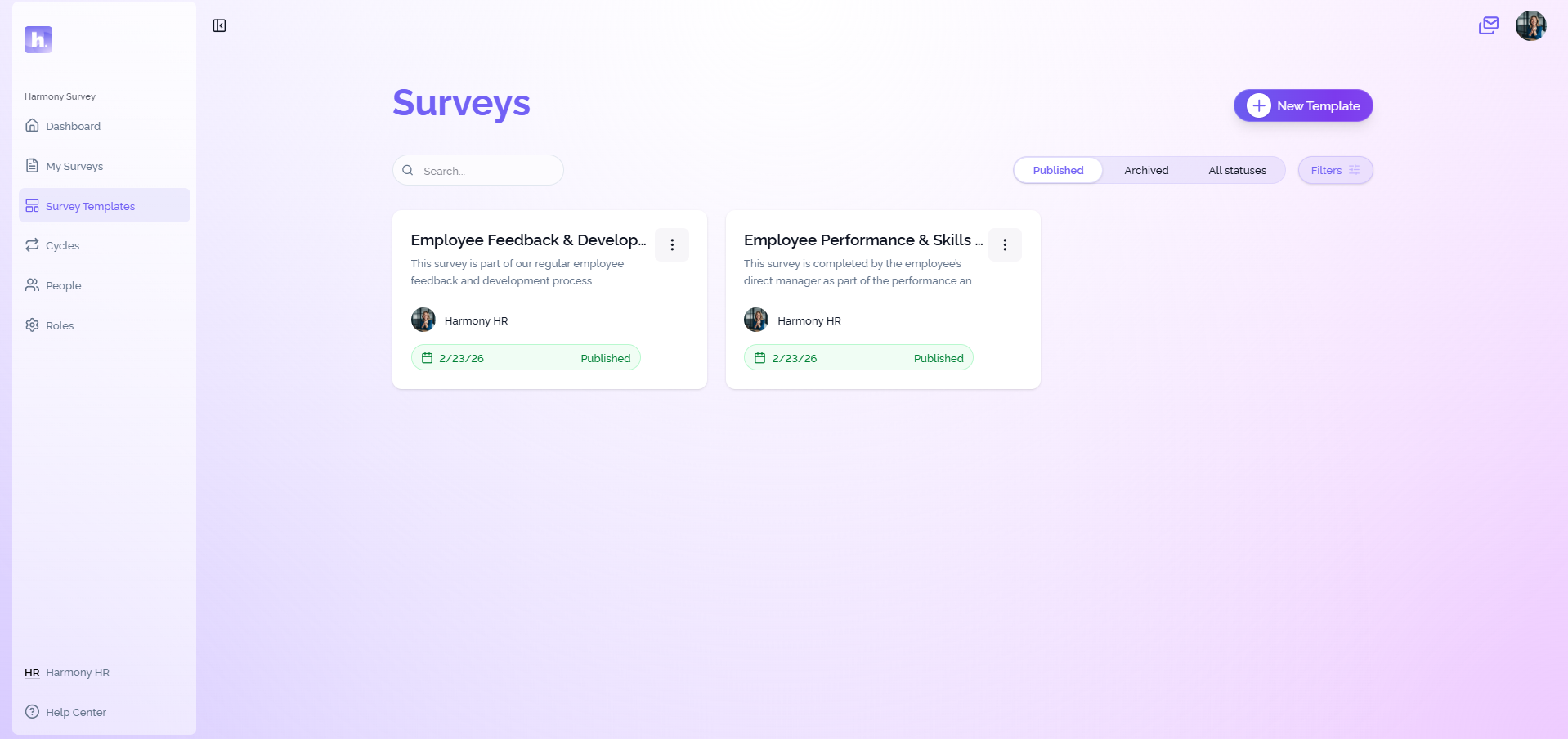
Templates that match your review cycle

Common workflows: onboarding check-ins • probation check-ins • post-change pulses • quarterly/annual review cycles

Send surveys to the right people on schedule. Set a deadline — reminders follow up automatically, so you're not sending 40 "please complete" messages by hand.
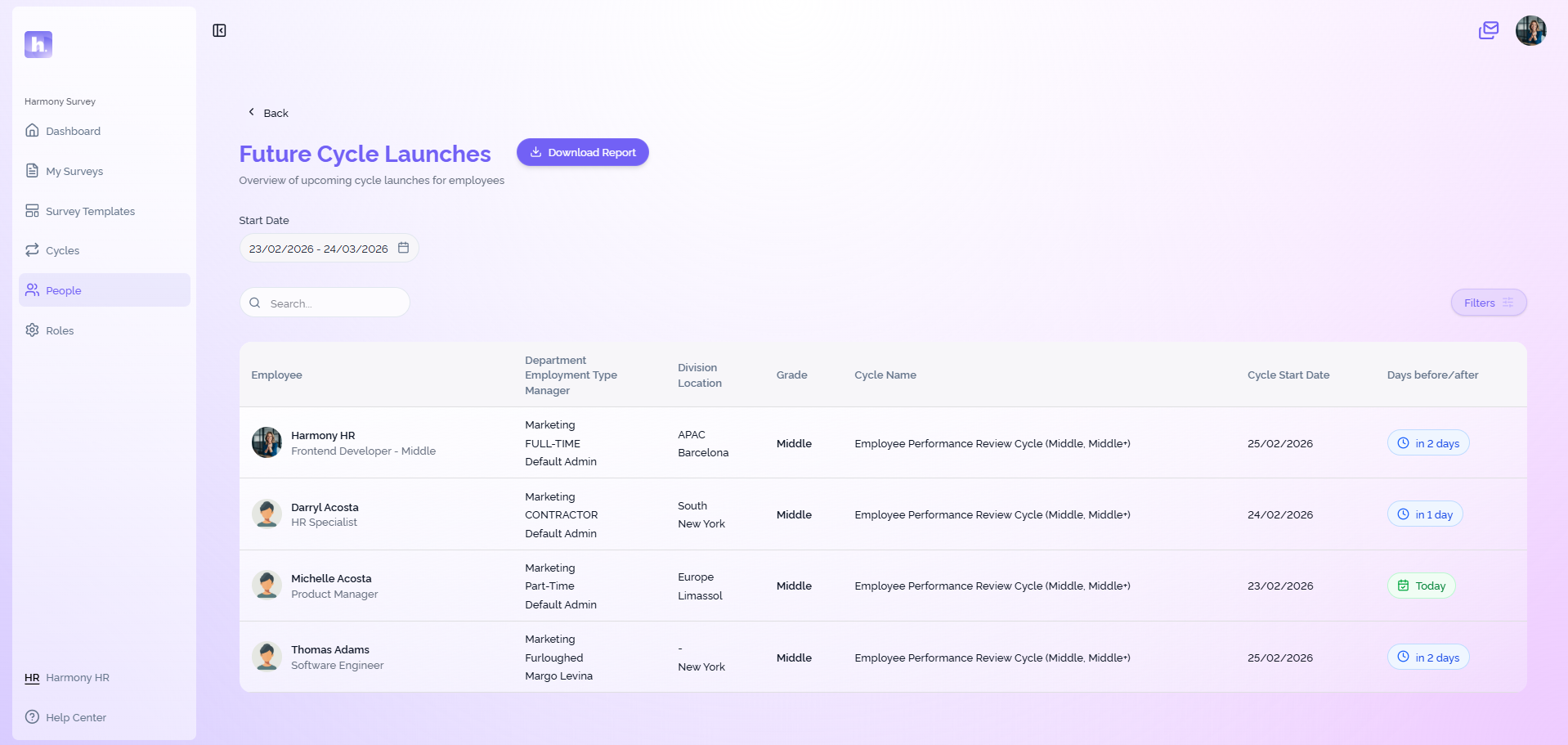
Targeted launches and automatic reminders

HR gets the full picture, managers see their team, and employees only see their own tasks.

Role-based access is configured once and applies across every cycle. You don’t rely on manual filtering or last-minute “wait, can they see this?” panic.
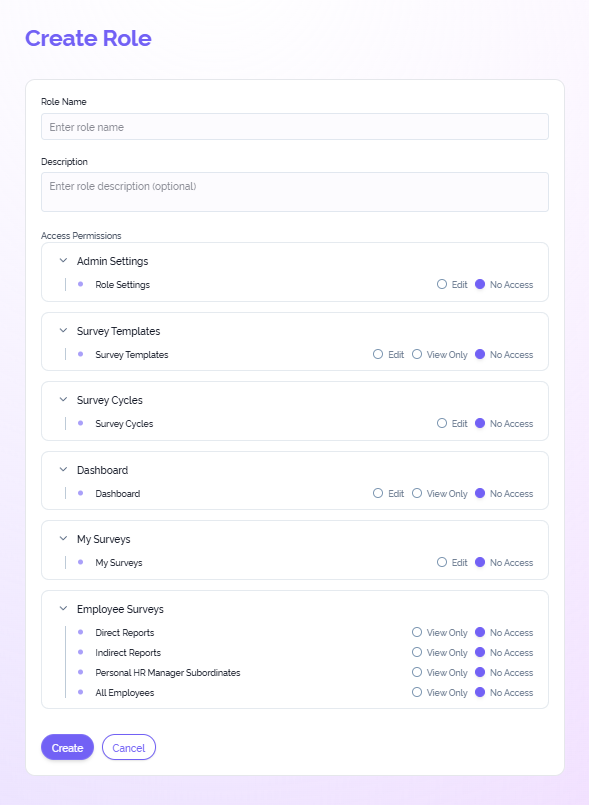
Roles & permissions that don't leak sensitive feedback

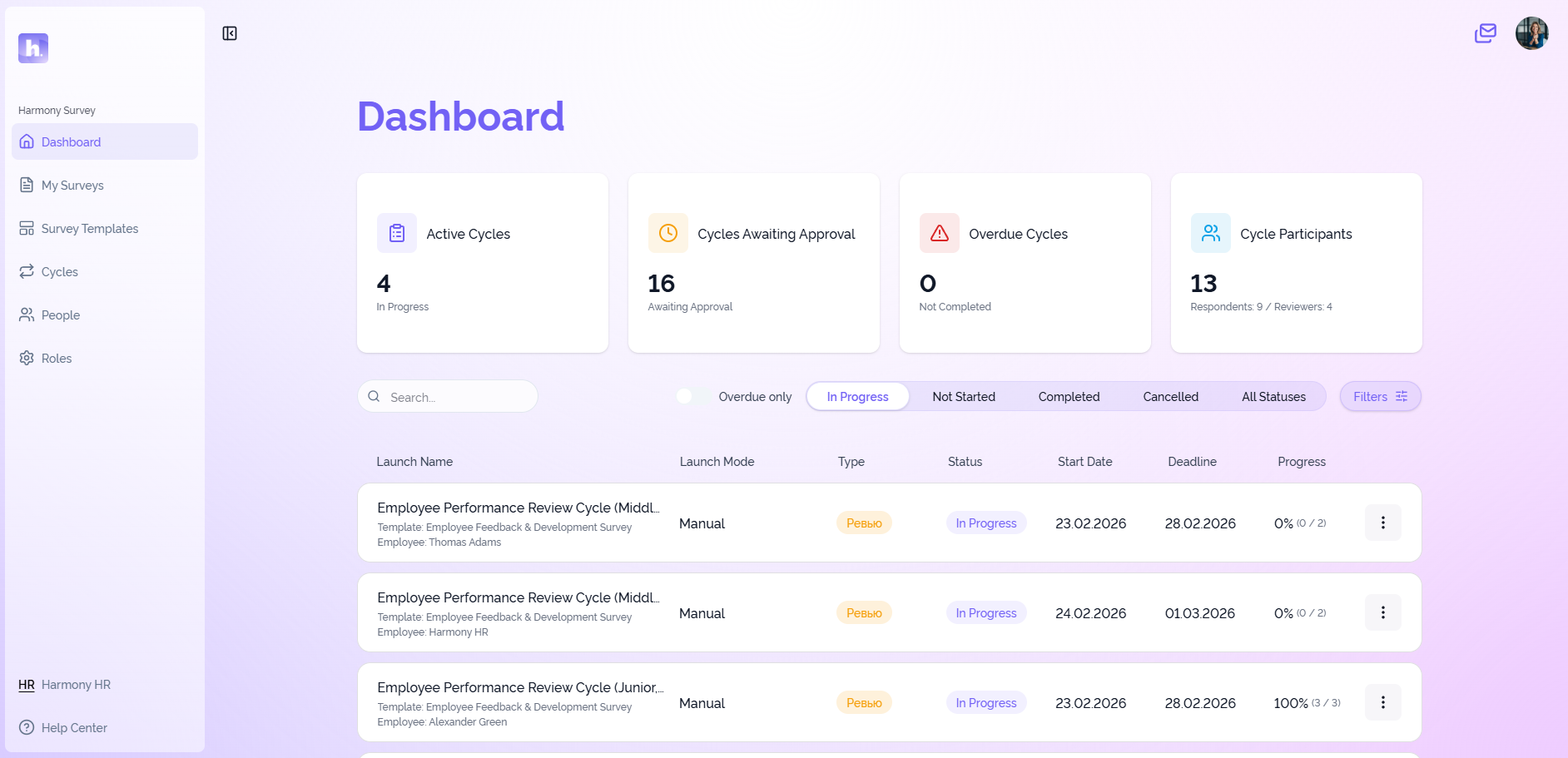
Track participation, spot overdue items early, and follow trends in real time. Export reports to .xlsx anytime — ready for leadership meetings.
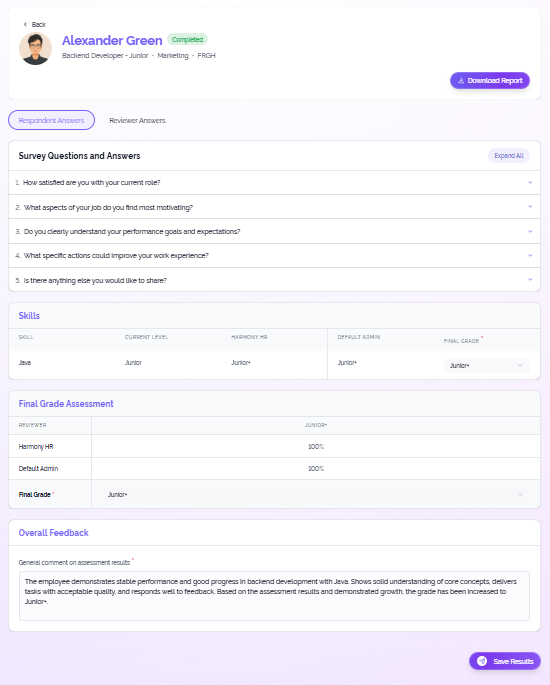
Dashboards, progress tracking, and .xlsx exports

Every launch is a tracked cycle with statuses and history. Approvers can review, adjust deadlines, and sign off — so review season doesn’t hinge on one person’s memory.
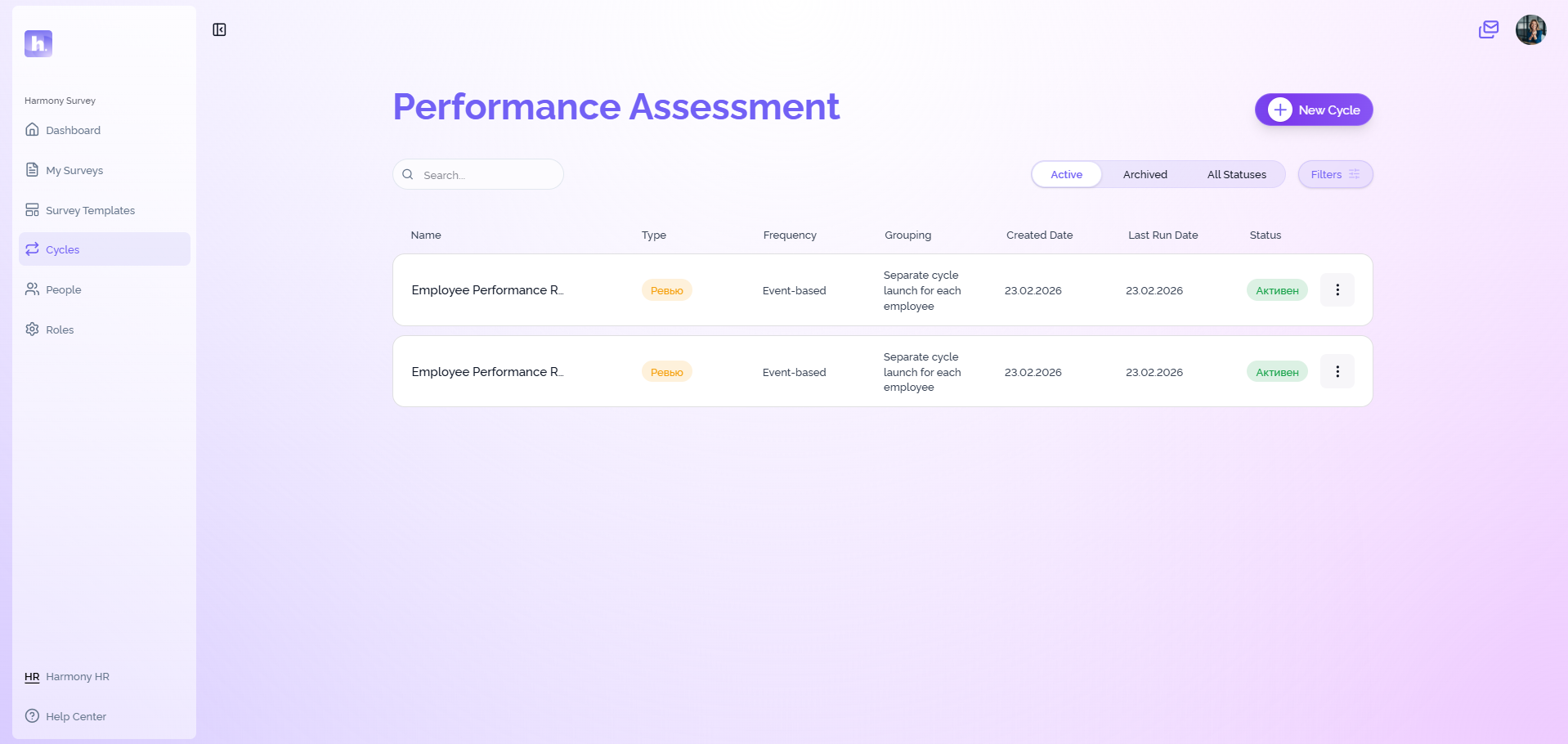
Dashboards, progress tracking, and .xlsx exports

What teams actually use it for

The HR team of one

Set cycles once, let reminders and tracking carry the logistics.

The HRD who needs to show data upstairs

eNPS by department, trends over time, export-ready reporting.

L&D building a real performance culture

360s, development reviews, probation check-ins, post-training pulses.

See what HR teams are saying

Real results from teams who take compliance and performance seriously

Review Elena HR Consultant, FinTech

One of the most flexible setups I've seen

"I've evaluated a lot of HR tools — and this is one of the most flexible setups I've seen for reviews. For some teams it could be a dealbreaker."

Review Daria HR Ops

Participation stopped being a full-time chase

"We'd launch a survey and then spend the next few days nudging people. With reminders and clear ownership, participation stopped being a full-time chase."

Review Sergey Head of People

Review season actually feels under control

"Review season used to be a bunch of spreadsheets and Slack pings. With HarmonyHR it actually feels under control — templates, deadlines, approvals, and history are just part of the flow."

See how HR teams run it

HarmonyHR vs standalone survey tools

Criteria HarmonyHR Surveys & Performance Standalone survey tools
Runs real cycles Deadlines, statuses, history built in Often "form + link" (cycle is manual)
Lists stay current Uses HarmonyHR people data (teams, managers, status) Imports/syncs go stale
Sensitive access Role-based visibility (HR/manager/employee) Permissions often coarse; manual filtering
Governance Approvals and controlled launches Governance lives in email/docs
Reporting Dashboards and export-ready reports next to context Reporting split from HRIS context
On-premise Supported Often cloud-only / varies

"We tried surveys before. Nothing changed."

Fair. A tool won’t “fix culture” on its own. What Surveys & Performance does is make feedback repeatable and visible — clear cycles, deadlines, real-time progress, and results you can compare from one cycle to the next.

When the data doesn’t disappear into a spreadsheet, it becomes much harder to ignore and much easier to act on.

See how it works with your process

You don't need a 6-month implementation project. Most teams get their first cycle configured and running within the first weeks — we handle the setup, you review and approve. Book a walkthrough and we'll show you how it fits your setup.

See it in action →

Questions we hear most often

Is this just another survey builder? +

No. The builder is only the start. The value is in controlled launches, roles and approvals, automated reminders, cycle tracking, and reporting that stays usable when you scale.

Will this force us into a rigid "best practice" process? +

No. Your process stays yours. Templates and cycles are built to adapt — without rebuilding everything from scratch each time.

Can managers actually use it without HR babysitting? +

That's the point. Managers and employees work from "My Surveys" with clear statuses, deadlines, and notifications, while HR sees cycle-level progress and outcomes in the dashboard.

Is Surveys & Performance included in HarmonyHR or a separate tool? +

It's part of the HarmonyHR ecosystem. That means the same people data, the same access model, and cycles that don't live in a separate system you have to reconcile.

Is it on-premise? +

Yes. Surveys & Performance supports on-premise deployment as part of HarmonyHR — a strong fit for teams that need more control over their HR stack.

Who can see what? +

Visibility is role-based. HR can have full access, managers see their team context, and employees only see their own tasks. Permissions apply across cycles so you're not manually filtering data every time.

Contact Us to Request a Product Demo